Not every website needs a client’s customer portal. If a company accepts one-time enquiries, and all communication fits into one form and one call from a manager, a closed zone can become an expensive add-on with no real benefit. But if the client regularly places orders, requests documents, tracks statuses, receives invoices, contacts support or works with personal conditions, the customer portal becomes part of the business process.
It is important not to confuse your customer portal with a simple profile page. A real account is a service interface where the user sees his data, performs repetitive actions and gains access to information without the participation of a manager. For a B2B company, this could be a portal for dealers, for an online store - an area for repeat purchases and returns, for a service company - a center for enquiries, documents and statuses.
Customer portal is not just a closed website page
A regular website page shows the same information to all visitors. Your customer portal shows different data to different users. One client sees his orders, another – his documents, the company manager – customer requests, the dealer – personal prices, the client’s employee – only those sections to which he was given access. This changes the project architecture.
Therefore, the customer portal cannot be designed as a set of screens “by analogy with competitors.” First, you need to describe the scenarios: who enters the account, what actions they perform, what data they see, what should be pulled up automatically, which operations remain with the manager, and which are transferred to self-service.
When a business really needs a customer portal
A customer portal is justified when the client has repetitive actions. If a client needs to write to the manager every time to find out the status, receive an invoice, repeat an order, download a report or clarify stock levels, some of this work can be transferred to the account.
Strong scenarios - repeat orders, documents, statuses and requests. This is relevant for online stores, B2B sales, distribution, service, production and companies with a long service cycle. The client should see transaction history, receive up-to-date files, track milestones, and create new orders without re-explaining the context.
When is it too early to create a customer portal?
You shouldn’t launch a customer portal just because “big companies do it that way.” If business processes are not described, data is maintained manually, CRM is not configured, documents are not structured, and statuses exist only in managers’ correspondence, the account will not solve the problem. It will simply bring chaos to the interface.
The correct approach is to start with the kernel. You need to choose 2-4 scenarios that provide measurable benefits to the business: less manual work, faster repeat orders, fewer support calls, higher transparency of statuses, fewer errors in documents. The rest can be developed after launch.
What tasks does the customer portal relieve from managers?
The main practical value of the customer portal is the reduction of manual load. The manager should not perform the same type of actions every day that can be automated: send the same invoice, look for the order number, forward the document, clarify the delivery status, accept a repeat request from correspondence.
The office transfers part of the communication to self-service. The client himself looks at the order history, downloads documents, checks the status of the request, updates contact information, creates a request, attaches a file, repeats the purchase or sends a request for approval. The manager gets involved where expertise or a solution to a non-standard situation is really needed.
What should be in the client’s customer portal
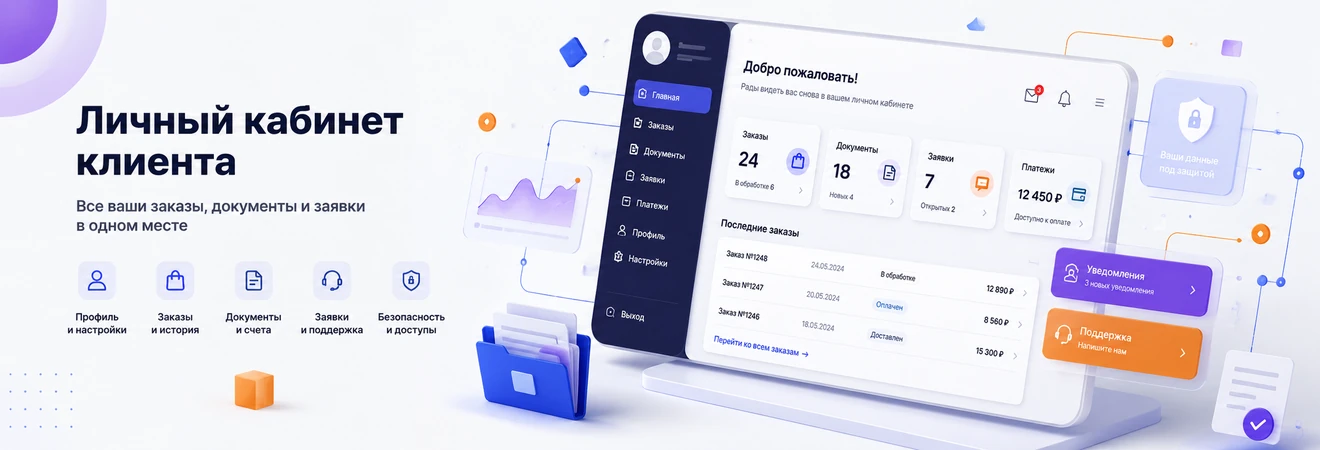
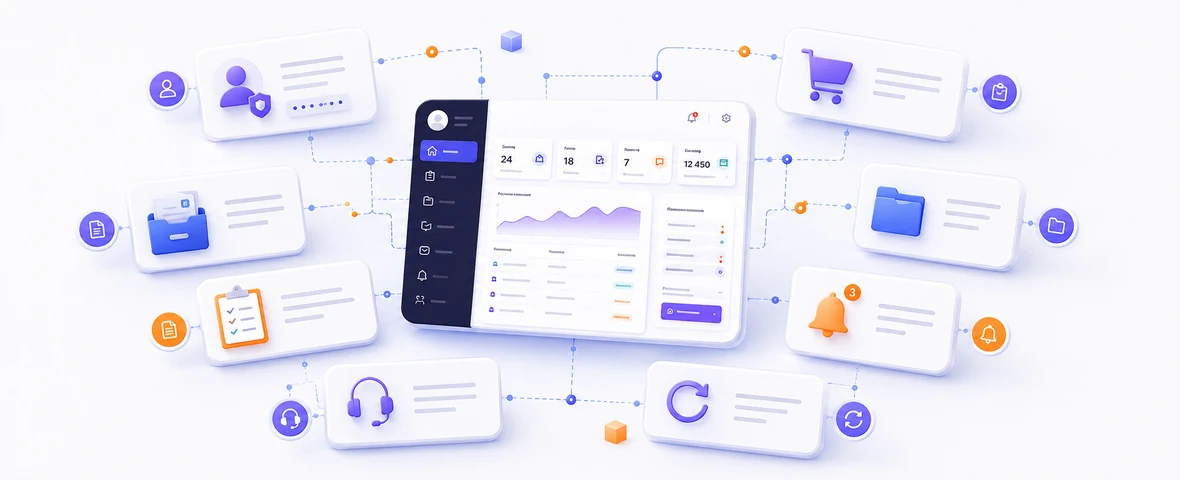
The composition of your customer portal depends on the business, but there are basic blocks that are most common. The first is the client profile: contact information, details, delivery addresses, notification settings, roles and access credentials. The profile should be useful, not formal: the user should understand what data affects orders, documents and communication.
The second block is the history of actions. These can be orders, enquiries, requests, invoices, payments, returns, documents, subscriptions or service transactions. The user should see not only the list, but also the status: accepted, in processing, awaiting payment, shipped, approved, closed, requires action.
The third block is documents and files. For B2B, this may be a key section: contracts, invoices, acceptance certificates, specifications, quotations, accounting documents, reports, instructions. It is important to provide filtering, searching, downloading and a clear link to an order or project.
Customer portal for B2B and online store
In B2B, a customer portal is often more important than in a regular online store. The client needs not only goods or services, but also terms of cooperation: personal prices, contracts, limits, deferments, invoices, specifications, delivery statuses, accounting documents and approval history.
The main feature of B2B is several participants on the client side. One employee selects items, another agrees on the budget, the third is responsible for payment, the fourth accepts delivery, the fifth works with documents. If the portal does not take roles into account, the business process remains manual: you still have to send files, screenshots and letters between participants.
In an online store, the account helps you repeat actions faster: view order history, repeat a purchase, track delivery, issue a return, use bonuses and contact support. For stores with regular demand, repeating an order from history can be more powerful than decorative interface elements.
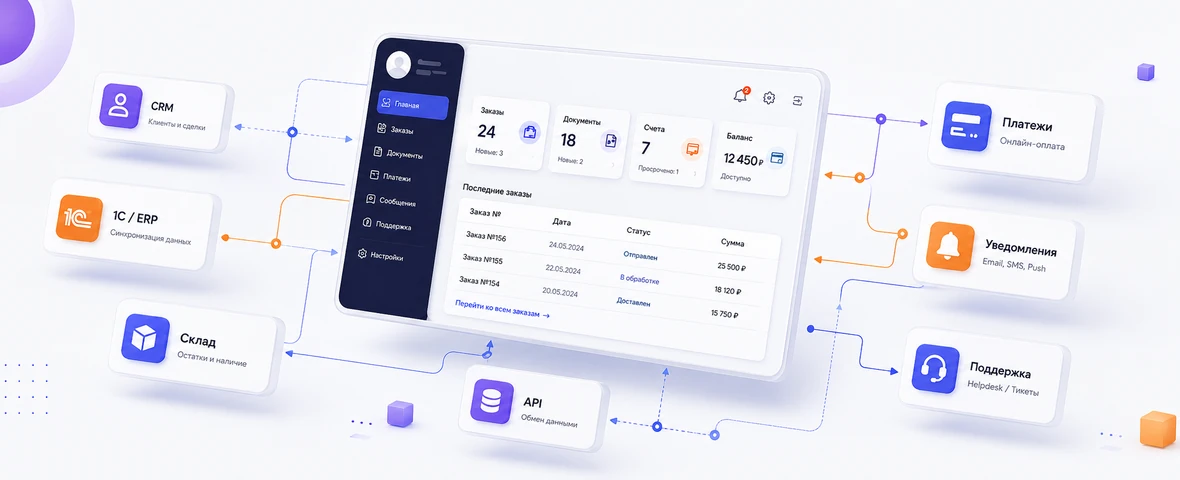
Integrations: CRM, 1C, warehouse, payments and notifications
Your customer portal becomes valuable when it shows up-to-date data and launches real processes. To do this, it must be linked to internal business systems. Otherwise, employees will manually transfer information between the site, CRM, 1C, warehouse, mail and tables.
CRM is needed for the account to work with requests, requests, transactions, clients, managers and communication history. If a user sends a request from the account, it should end up in a clear processing process, and not just in the mailbox.
1C, ERP or warehouse system is needed for prices, stock levels, orders, shipments, documents, counterparties and financial data. This is especially important for B2B, distribution, production and online stores. The customer should not see an outdated price or an item that is actually out of stock.
Security and personal data
Your customer portal works with data that cannot be shown to all site users. These can be contacts, telephone numbers, e-mails, addresses, contracts, invoices, acceptance certificates, order history, enquiry statuses, personal prices and internal documents. Therefore, security must be considered at the design stage and not after launch.
The first level is authorization. The user must safely log into the account, restore access and log out of the account. If the account is used by B2B clients, it is necessary to provide for user management on the part of the company: adding employees, disabling access, changing roles.
The second level is access rights. The user should only see data that is relevant to him or his organization. It is especially important to limit access to documents, prices, orders and requests. An error in permissions can result in one client seeing the data of another.
SPA or regular section of the site: which architecture to choose
Not every customer portal needs to be made as an SPA or a separate web application. If the functionality is simple - a profile, order history, several documents and basic statuses, sometimes a regular section of the site on a CMS with correct authorization and integrations is enough.
SPA and web application become justified when the interface is complex and interactive: many roles, dynamic tables, filters, notifications, file uploads, real-time statuses, personal scripts, nested sections, frequent actions without page reloads.
It is important to separate the public site and the private interface. Public pages should be well indexed, load quickly and work as a marketing storefront. A customer portal can be built as an application, because its content is protected by authorization and should not be included in the search.
It’s a mistake to select a technology before describing the scenarios. First you need to understand who the user is, what data is needed, what actions are repeated, what systems are involved, what access rights are required and how the account will develop. Only after this can you choose a CMS section, SPA, a separate web application or a hybrid architecture.
Which customer portal is needed for different business scenarios
There is no universal customer portal. One business solves repeat orders through it, another - documents, a third - support, a fourth - dealer sales. Therefore, at the start, it is useful to determine the scenario and the minimum set of functions that will provide measurable benefits.
| Script | What should be in the office | What integrations are needed | When justified |
|---|---|---|---|
| B2B sales | Orders, documents, personal prices, roles, approval history | CRM, 1C, warehouse, document flow | Many regular customers, repeat orders and individual conditions |
| Online store | Order history, returns, bonuses, favorites, delivery statuses | CMS, payment system, delivery, CRM, warehouse | There are repeat purchases, a customer base and regular requests |
| Service company | Enquiries, requests, statuses, files, communication history | CRM, helpdesk, notifications, customer database | Many requests, manual support and status requests |
| Production or distribution | Price lists, stock levels, enquiries, contracts, specifications, shipment status | 1C, ERP, warehouse, CRM, document flow | Clients need access to data without the constant participation of a manager |
| Corporate portal | Roles, requests, documents, tasks, notifications, internal services | HRM, CRM, internal systems | There are internal processes, departments and regular service requests |
How to understand that your customer portal will pay off
It is better to evaluate the payback of your customer portal not by abstract “loyalty”, but by specific changes in processes. If managers answer the same questions every day, send documents, clarify statuses and collect repeated requests manually, the office can reduce the load and speed up service.
The first indicator is the number of repeated calls. If clients often ask the same thing, you need to understand whether this information can be available in the portal: order status, account number, document, request history, stock levels, deadlines, instructions or enquiry update.
The second indicator is the time of managers. If a team is spending hours on activities that don't require expert input, automation can make economic sense. But it is important to consider not only the development, but the entire effect: speed of processing enquiries, fewer errors, less manual input, higher transparency for the client.
The third indicator is repeat sales. If a business makes money from regular orders, subscriptions, deliveries or service, the account can simplify customer returns. The less effort required for a repeated action, the higher the chance that the user will not leave for a competitor.
How DevAstro designs personal accounts and client portals
The development of a customer portal begins not with the design of screens, but with the design of scenarios. It is necessary to define user roles, data, statuses, actions, integrations, access restrictions and points where the office should reduce manual work. Without this, the interface may look modern, but not solve the operational problems of the business.
DevAstro designs personal accounts as web enquiries associated with real company processes: orders, enquiries, documents, CRM, 1C, warehouse, payment, notifications and service support. For simple tasks, an extension of the current website may be suitable; for complex B2B scenarios, a separate client portal or SPA.
If a business needs an interface with roles, statuses, documents, enquiries, integrations and further development, it is logical to consider the direction of web enquiries and SPA. If the account needs to exchange data with CRM, 1C, warehouse or payment services, the design of API integrations will be required. For e-commerce scenarios, the account should be associated with the development of an online store, and after launch, it should be supported through technical support of the site.
What is ultimately important for business
A customer portal is not needed to make the site look more modern. It is needed when the client has repeated actions, data, documents, statuses or enquiries that do not have to go through the manager every time. The more such scenarios, the higher the practical value of the closed zone.
Before development, you need to answer several questions: who will use the office, what tasks it will solve, what data is needed, where it will come from, what roles are needed, how access will be protected and how the business will understand that the project is paying off. If these questions are not answered, it is worth describing the processes first, rather than jumping straight to interfaces.
A good customer portal works as part of the system: the site attracts the user, the account serves repeated scenarios, CRM and 1C transfer data, managers receive less manual work, and the client sees transparent statuses and documents. It is this logic that turns the closed area of the site into a tool for service, sales and retention.
FAQ
When does a business need a customer portal?
A portal is useful when clients regularly check orders, documents, statuses, invoices, requests, individual prices or project data. It reduces manual work and makes service more transparent.
Which portal features should be launched first?
A practical MVP includes authentication, roles, orders or projects, statuses, documents, notifications and one key action: repeat an order, send a request, download an invoice or update data.
Does a portal need CRM or ERP integration?
In most B2B scenarios, yes. The portal should receive actual statuses, prices, inventory, documents and history from business systems, otherwise managers will duplicate data manually.
Can a customer portal be built in stages?
Yes. The first stage defines the key workflow and safe architecture, then a basic portal is launched and roles, documents, payments, notifications, analytics and integrations are added later.
How do you decide whether a feature belongs in the MVP?
It should close a frequent measurable workflow, such as reducing support contacts, speeding approval or removing manual manager input. Rare unvalidated features belong in the roadmap.
Which security controls matter for a customer portal?
Role-based access, secure recovery, session protection, audit history, document restrictions, API controls and data minimization are core requirements.